 FixedTime
Early access · free
One task.
One timer.
No list to argue with.
Most planners are good at capturing intentions and useless at the moment you actually have to start. FixedTime shows exactly one block at a time — what you're doing now, how long is left, and nothing else competing for the decision.
Get early access. The web app is live and free to use today. The iPhone app is in development — leave your email and you'll hear once, the day it's on the App Store. No drip sequence, no daily tips.
One list, one unsubscribe link in every email. Nothing is sent until you confirm from your own inbox, and we never sell or share your address.
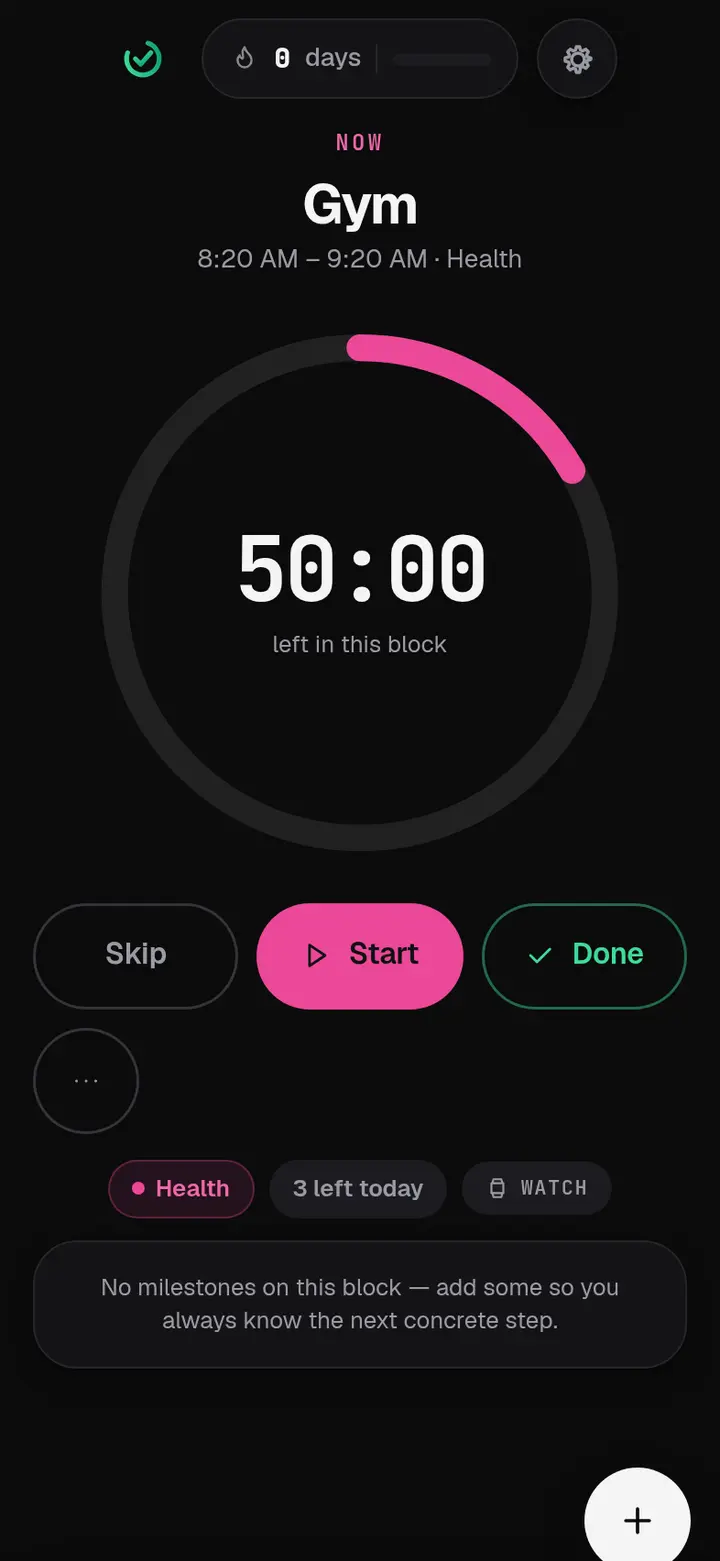
The Focus screen, from the live build.
Available right now
You don't have to wait for the App Store.
The same app runs in a browser, on a phone or a laptop, free and with no account. It is the best way to know whether this suits how you work before you commit a home-screen slot to it.
Open FixedTime in your browser
Nothing to install, nothing to sign up for. Plan a week in about two minutes and see whether the one-block-at-a-time idea actually helps you.
- Works offline once it has loaded — add it to your Home Screen and it opens like an app.
- No account needed. Everything stays on your device unless you turn on backup.
- Your week carries over to the iPhone app if you turn on sync before you switch.
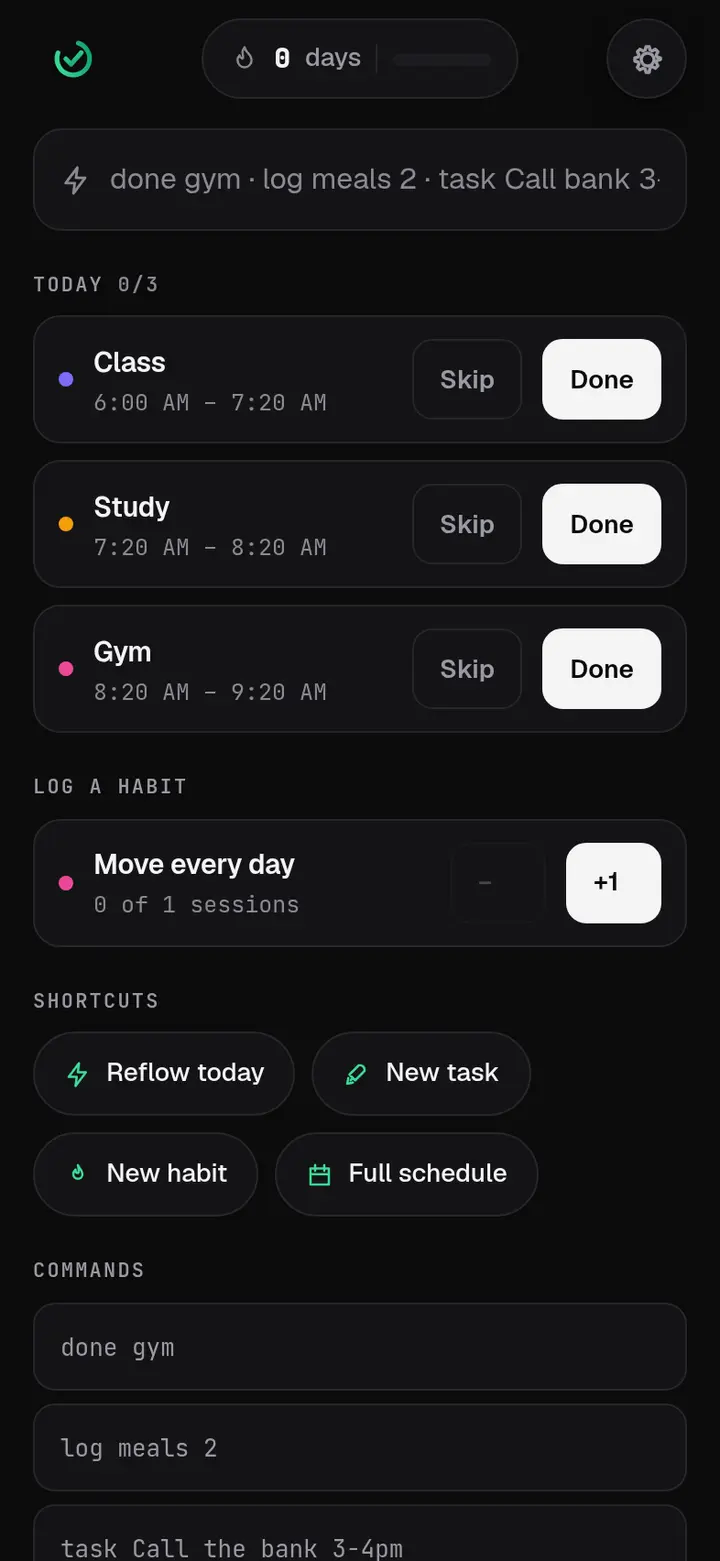
Every screen, as it is today
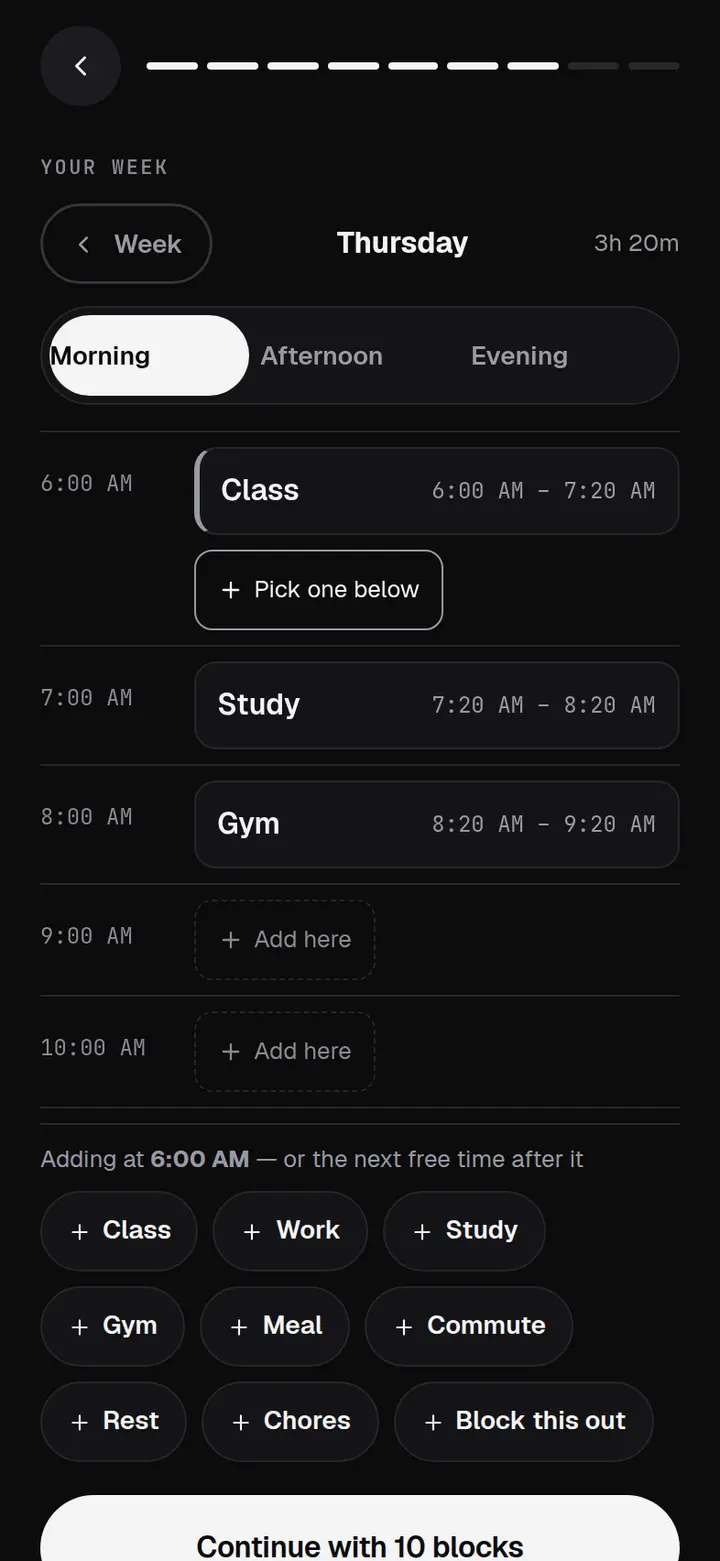
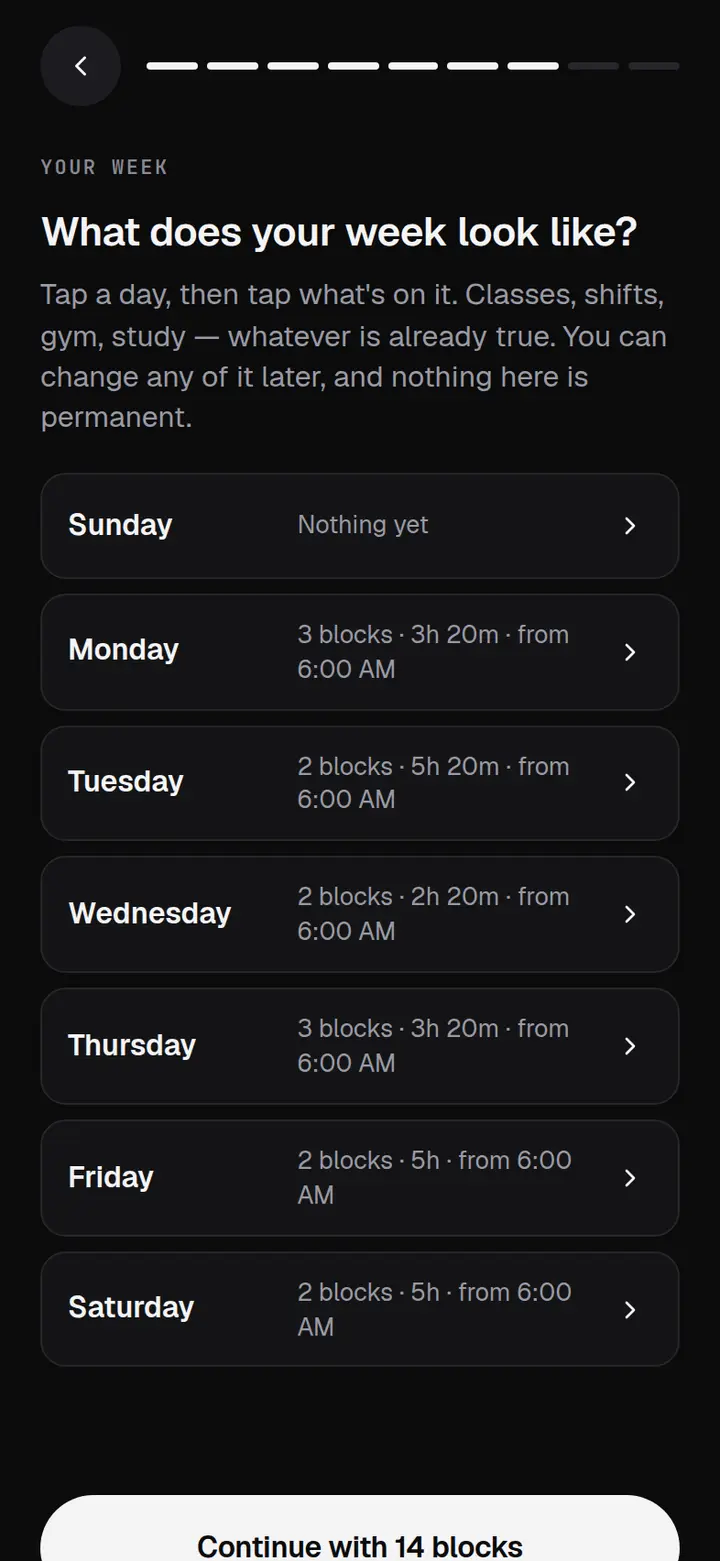
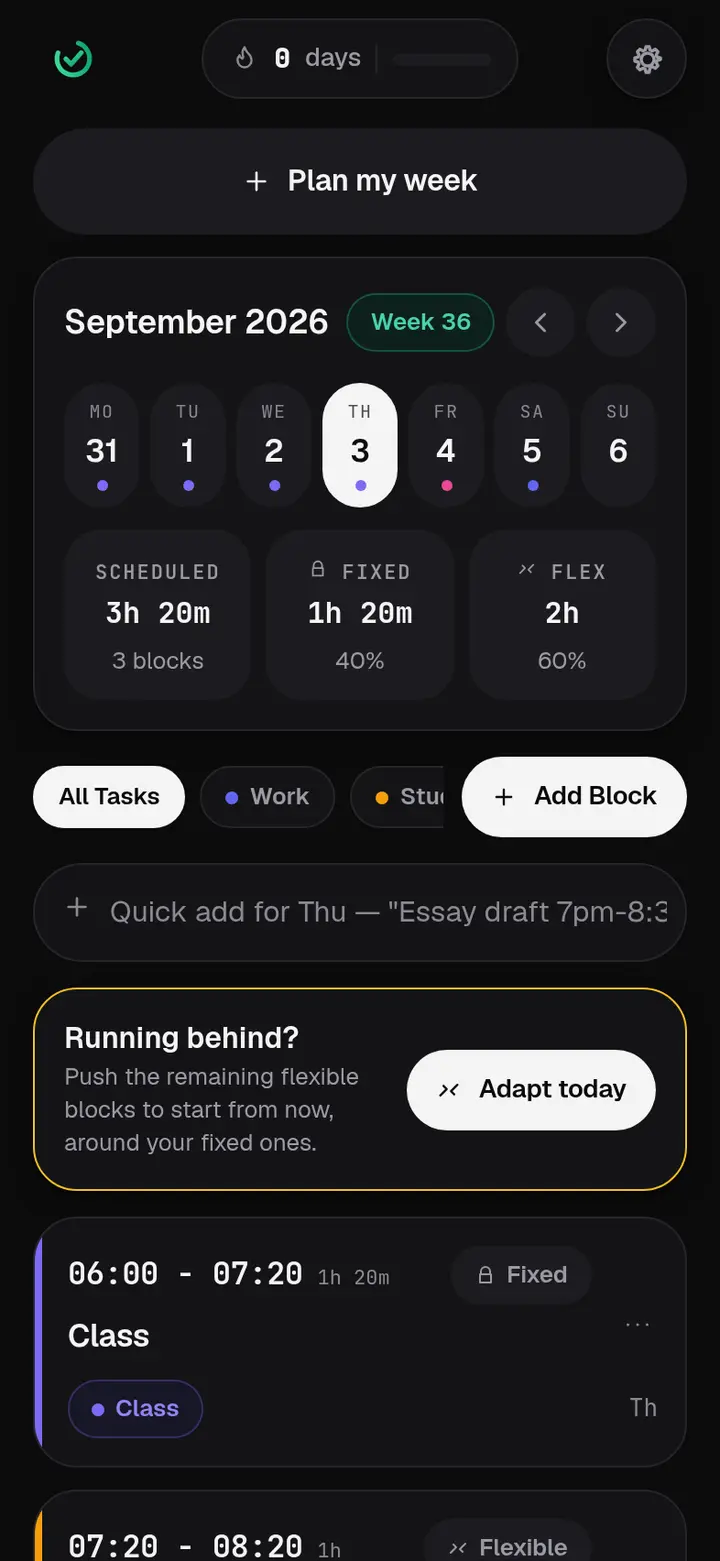
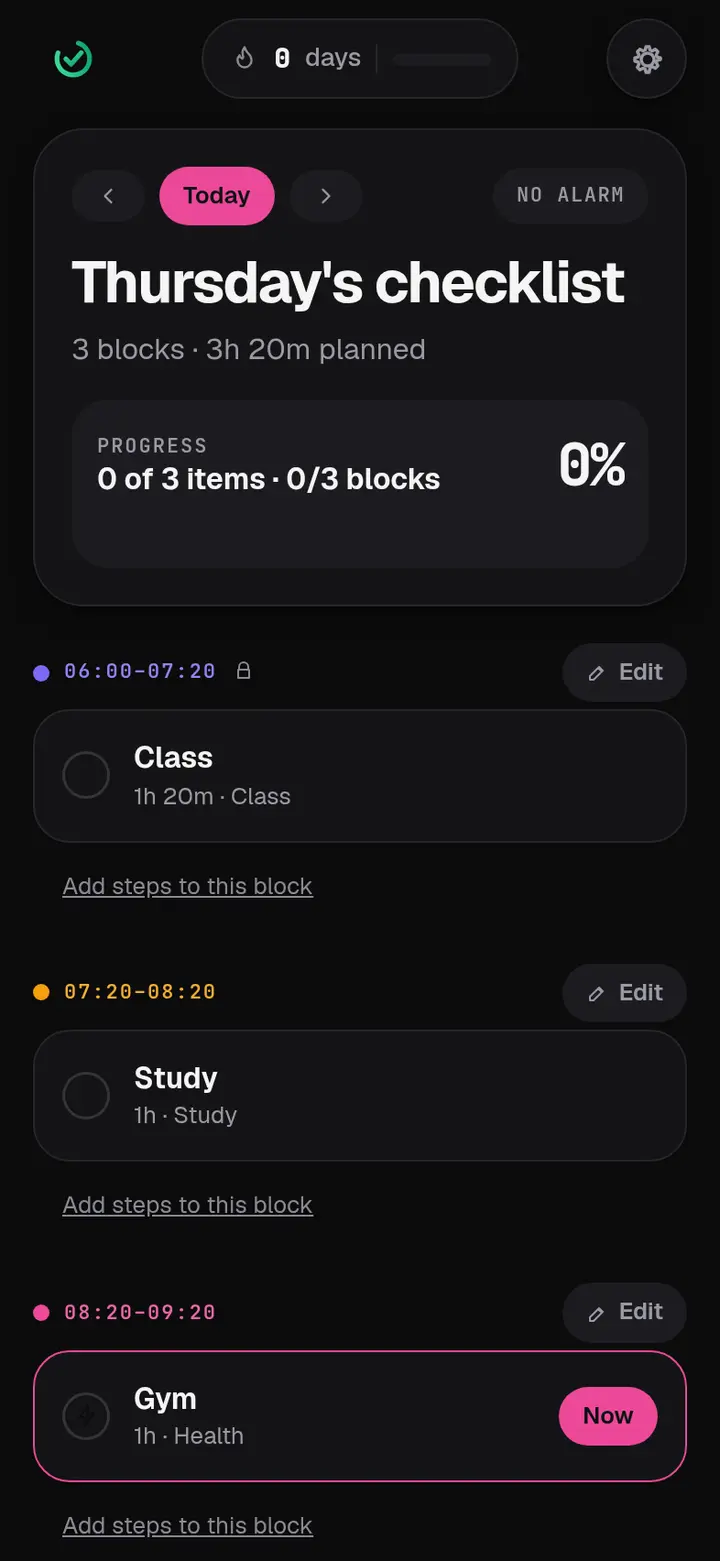
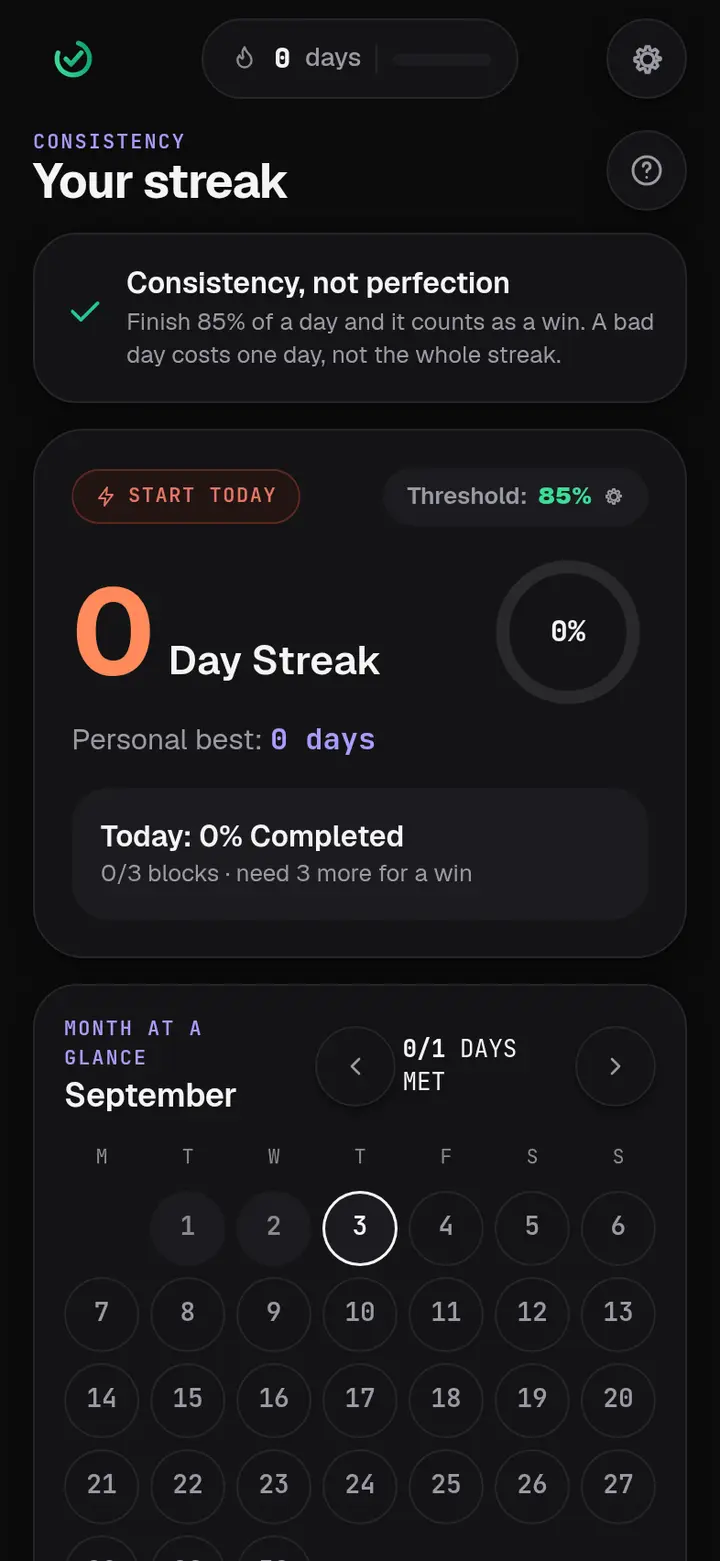
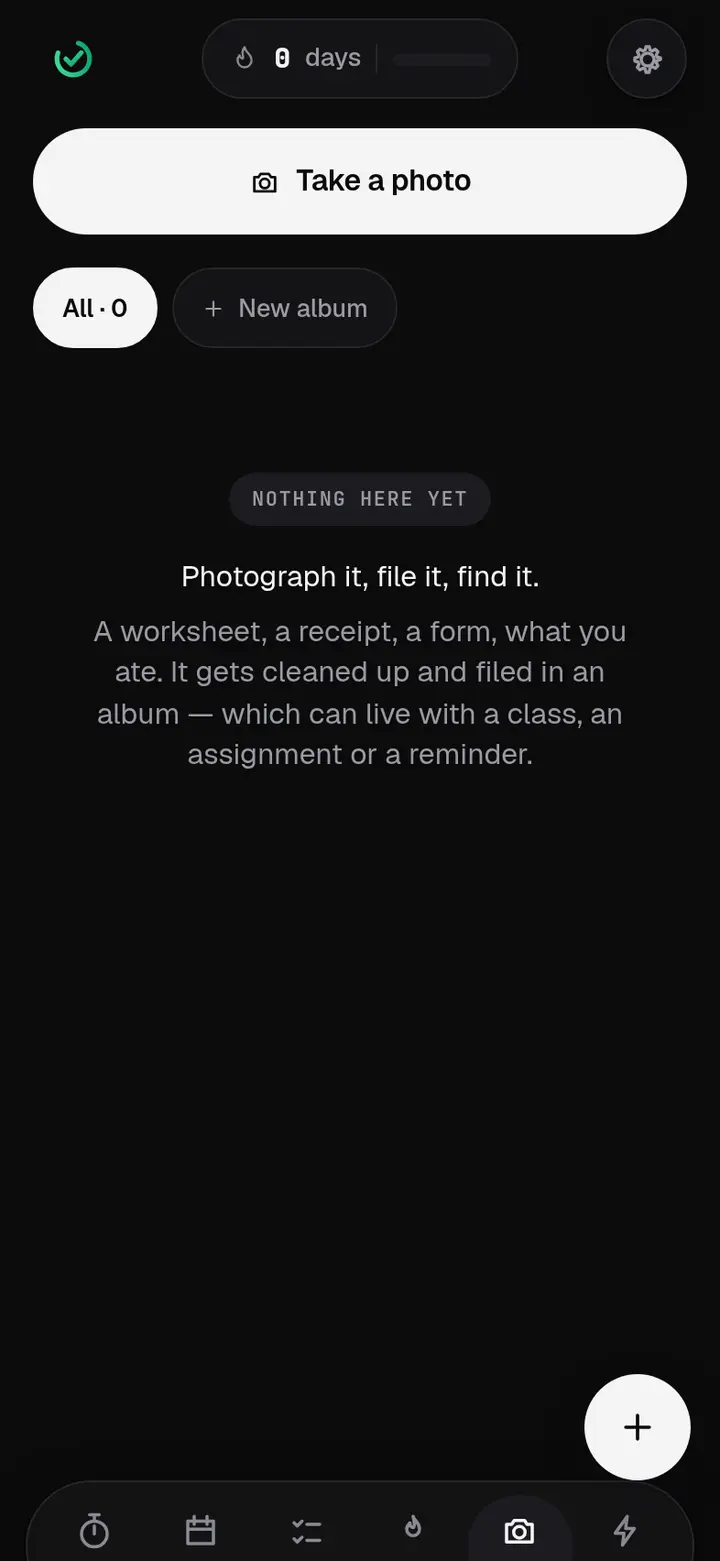
This is the whole app.
Photographs of the running build, not mockups. Nothing on this page is a feature that doesn't exist. When a screen changes, these change with it.
How it works
Built for the moment you have to start.
A week you build by tapping
Classes, shifts, gym, study. Mark a block fixed and it doesn't move; mark it flexible and the app can shuffle it around the parts that can't.
One block at a time
The Focus screen shows the block you're in, the time left and its next step. When the day slips, one tap reflows everything flexible around what can't move.
A streak that survives real life
A day counts as a win at 85%, not 100% — you set the number. A missed day costs one day, not the whole run.
Reminders that arrive
Blocks and your wake alarm are scheduled with iOS ahead of time, so they arrive with the app closed. Everything is visible in the app too, so nothing depends on a notification.
What it costs
The planner is free. It stays free.
Not a trial, not a countdown. Blocks, checklists, streaks, reminders, the week planner and three photo scans a day cost nothing and always will.
Free — $0
The whole planner. Every screen above. Three photo scans a day, which is more than most people use. No ads in the free tier either.
Pro — $4.99 a month
Unlimited photos and scans, weekly and monthly analytics, advanced repeating blocks, more than one reminder per block, themes and Canvas.
Pro — $29.99 a year
The same thing at half the monthly price — $2.50 a month, billed yearly. Renews until you cancel; cancelling takes two taps in your App Store account.
Nothing is purchasable yet. Pro switches on with the iOS release, and early-access subscribers hear first.
What it does with your data
Nothing you'd have to take on trust.
These are checkable claims, not promises. Each one is enforced by a test that fails the build if it stops being true.
You don't need an account
Open it and use it. Signing in is optional and only adds a backup you can restore on another device.
We can't read your backup
It's encrypted on your device before it leaves, with a key that never reaches us. We store something we have no way to open.
Photos stay on the device
Photograph a worksheet or a whiteboard, file it under a class, export a folder as a PDF. None of it is uploaded, and nothing ever looks for faces.
No ads, no trackers, no AI
No analytics SDK, no advertising pixel, not even a font from someone else's server. The app contacts one domain, and it's ours.
Delete everything in one step
Settings → Delete my account and all data. The cloud backup, your address, the newsletter, and everything on the device.
Built to be usable
Tested against WCAG 2.2 AA in light and dark on every release. Nothing needs a drag, nothing is said in colour alone, and every control is at least 44 points.
Worth saying plainly
It's a planner. It won't fix you.
FixedTime is a scheduling and habit tool. It isn't a medical device, it doesn't give medical advice, and it promises no outcome. It gives you one place to decide what you're doing and a timer while you do it — paying for it later won't change anything on its own, and neither will the app. The part that works is you doing the block.
Who makes it
FLX Create LLC.
FixedTime is built by FLX Create LLC, an independent studio in Los Angeles, California, founded by Jose Flores. It's a small operation — the app you see here is written, tested and shipped by the same person who answers the support email.
The studio builds its own software and takes on client work: app development, social media data analytics, and content. FixedTime is the first product out of it.
Everything legal lives on this site, not buried in an App Store listing: what is collected, what never leaves your device, the terms you agree to, how health data is treated, and where the accessibility work stands. If something in them isn't clear, the email below reaches a person.